

How to Ask Good Coding Questions to ChatGPT or Gemini (Python for Beginners)
With nearly three decades of experience in technology consulting, community building, and open-source advocacy, I am passionate about empowering individuals and organizations to thrive in the digital age.
As the Founder of AFROST and a co-founder of PyDelhi.org, I've built and led high-impact tech communities and organized marquee events like PyCon India, directly supporting the growth of India's open-source ecosystem.
My expertise spans Linux, Python, Kubernetes, AI, and DevOps, and I have partnered with leading organizations such as Red Hat, Cadence, and IIIT. I take pride in having mentored and trained over 50,000 professionals, helping them launch successful careers and tech startups.
I believe in the power of collaboration, open knowledge, and inclusive leadership. If you share a passion for technology, open source, or building impactful communities, let’s connect and explore how we can make a difference together.
Introduction
AI tools like ChatGPT and Gemini can be amazing coding teachers.
They can explain code, fix errors, and help you learn Python step by step.
But to get good answers, you must ask good questions.
This blog shows how to prompt ChatGPT or Gemini properly, using Python examples, in simple English.
Think of LLMs as Your Coding Teachers
Large Language Models (LLMs) like ChatGPT and Gemini are not just tools.
They can act like:
A Python teacher 👨🏫
A coding mentor
A patient helper who never gets tired
But teachers need clear questions.
1. Always Tell Your Skill Level
Don’t assume the AI knows your level.
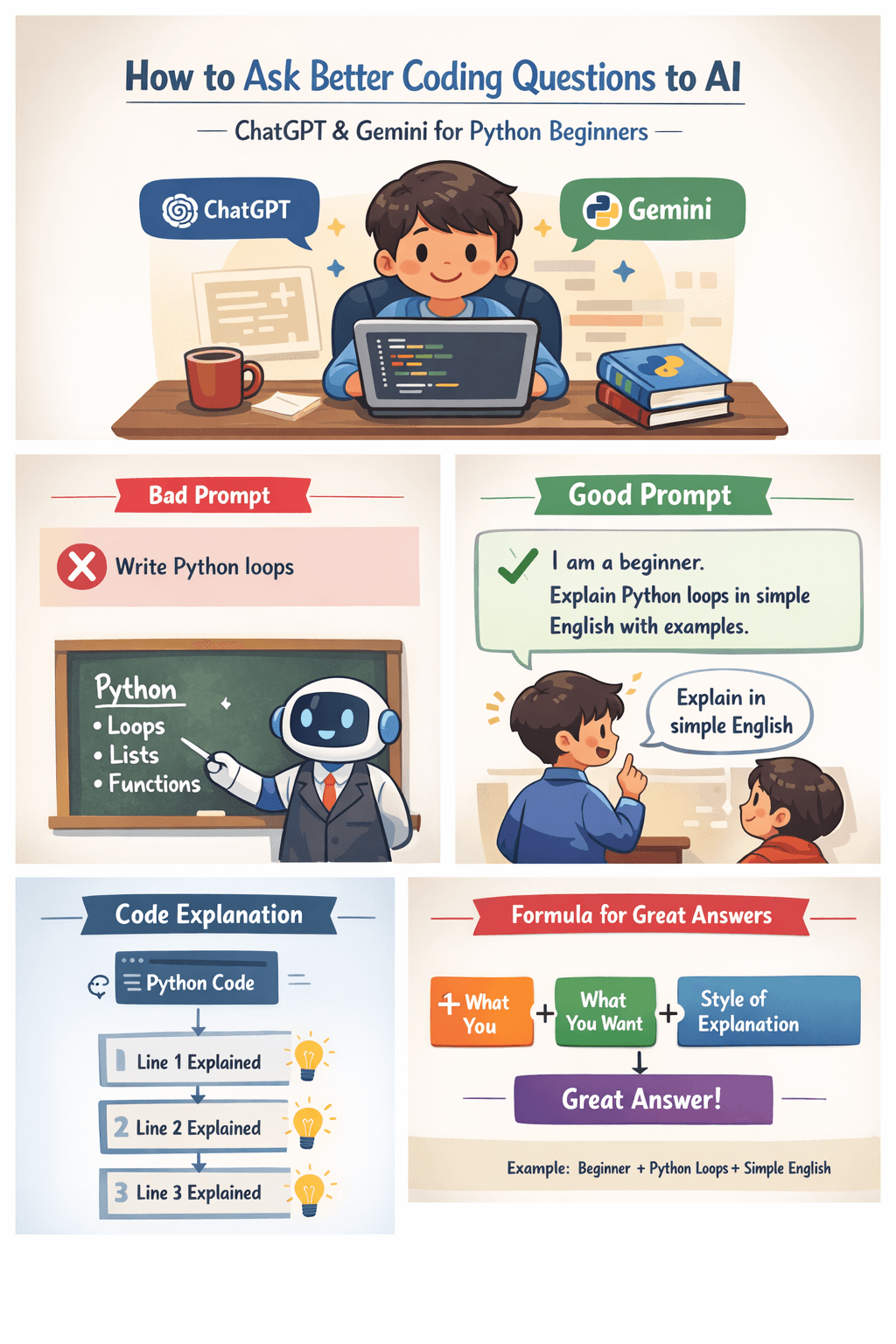
❌ Bad Prompt
Write Python code for loops.
✅ Good Prompt
I am a beginner. Explain Python loops in simple English with examples.
Python Example
for i in range(5):
    print(i)
Ask the AI:
Explain this code like a teacher for beginners.
2. Ask for Line-by-Line Explanation
If code looks confusing, ask the AI to explain each line.
✅ Good Prompt
Explain this Python code line by line in simple English.
Python Example
name = "John"

for letter in name:
    print(letter)
This helps you understand what each line is doing.
3. Ask for Simple and Beginner-Friendly Code
AI can write complex code, but beginners need simple code.
❌ Bad Prompt
Write optimized Python code.
✅ Good Prompt
Write simple Python code for beginners to add two numbers.
Python Example
a = 5
b = 3
print(a + b)
You can also say:
“Do not use advanced concepts”
“Keep it very simple”
“Beginner-friendly only”
4. Ask for Real-Life Examples
Real-life examples make learning easy.
✅ Good Prompt
Explain Python lists using real-life examples and simple code.
Python Example
fruits = ["apple", "banana", "mango"]
print(fruits)
The AI may explain a list as a shopping bag 🛒 that holds items.
5. Show Your Code and Ask for Help
You can paste your code and ask the AI to fix it like a teacher.
❌ Bad Prompt
This code doesn’t work.
✅ Good Prompt
I am learning Python. Fix my code and explain what I did wrong.
Python Example (With Error)
for i in range(1, 5)
    print(i)
The AI will:
Fix the syntax error
Explain why the error happened
Teach the correct way
6. Ask the AI to Teach Step by Step
Step-by-step learning is best for beginners.
✅ Good Prompt
Teach Python functions step by step using simple examples.
Python Example
def say_hello():
    print("Hello")

say_hello()
The AI will explain:
What
defmeansWhy we use functions
How to call a function
7. Tell the AI to Act Like a Teacher
You can directly tell the AI to behave like a teacher.
Best Prompt Example
Act like a Python teacher.
I am a beginner.
Explain this code in simple English with examples.
numbers = [1, 2, 3, 4]
total = 0

for n in numbers:
    total = total + n

print(total)
This gives you a calm, teaching-style explanation.
8. If You Don’t Understand, Ask Again
AI will not get angry 😄
You can ask again in simpler words.
Try prompts like:
“Explain more simply”
“Use easier words”
“Show another example”
“Explain like I am a child”
Final Thoughts
To learn coding with AI, remember this rule:
Clear question = Better answer
ChatGPT and Gemini work best when:
You use simple English
You explain what you want
You treat them like teachers
If you do this, learning Python becomes easy and fun 🚀 Happy coding! 🐍💻